Can You Really Edit a YouTube Video Just by Chatting With AI?
Can you really type, “Cut the awkward pauses, pick the better clips, and make the music fit,” and have the video edit itself?
Not yet for most users. But that is much closer to what YouTube says is coming.
At its Made On YouTube event on September 23, 2026, YouTube introduced a conversational editing assistant powered by Gemini. Instead of relying only on buttons, menus, and a traditional timeline, creators will be able to start an edit with a prompt and keep refining it through a chat-like conversation. (YouTube)
And there is an important detail that is easy to miss: this is not simply another tool that generates a video from scratch. The idea is to work with footage you already have, create a first draft, then tell the system how you want that draft changed.
That changes the question from “Can AI make a video?” to something more practical:
How much of the editing process can now be handled through ordinary language—and how much creative control stays with the person making the video?
What Did YouTube Actually Announce?
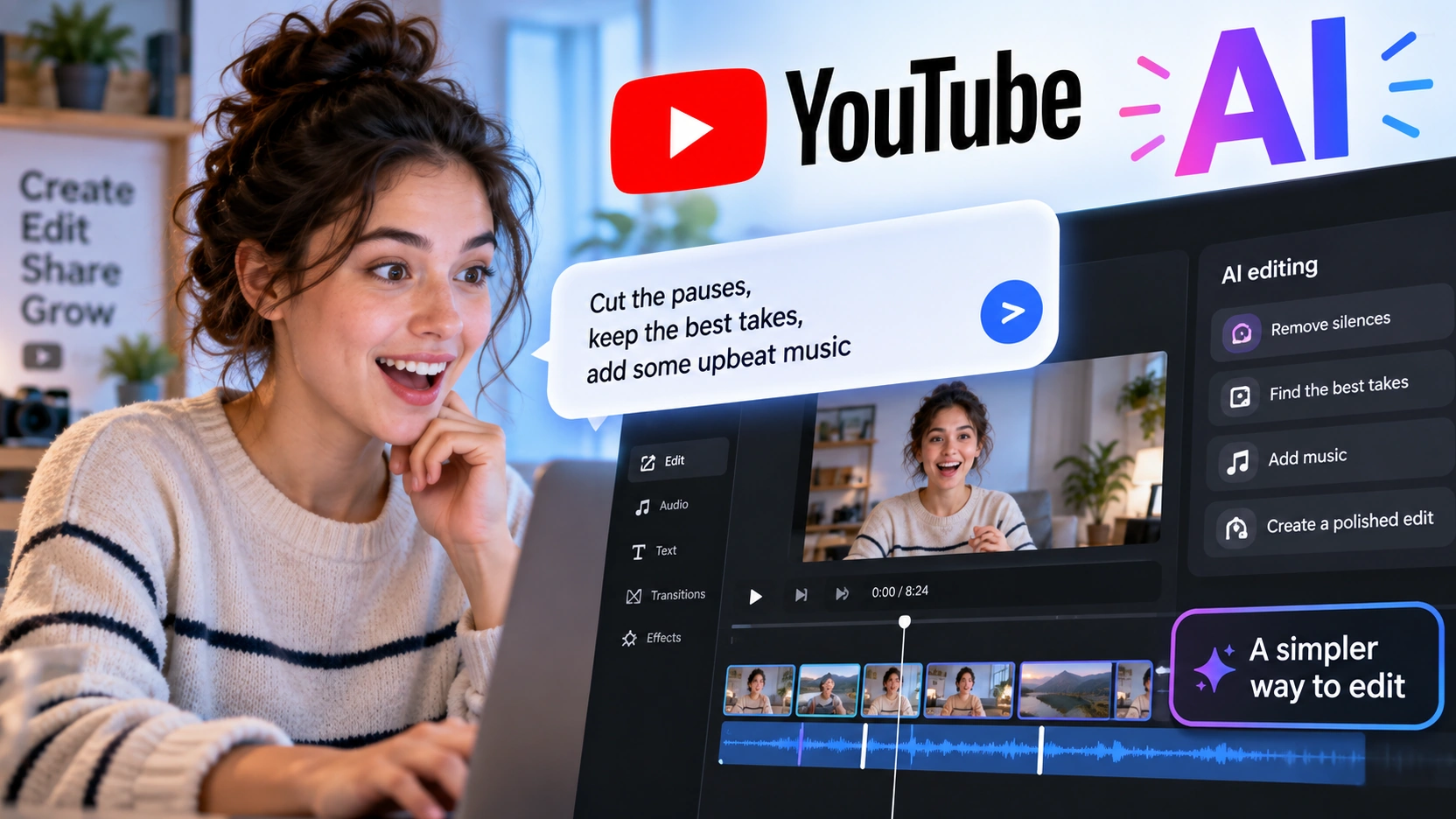
YouTube is adding Gemini-powered conversational editing to Shorts and the YouTube Create app.
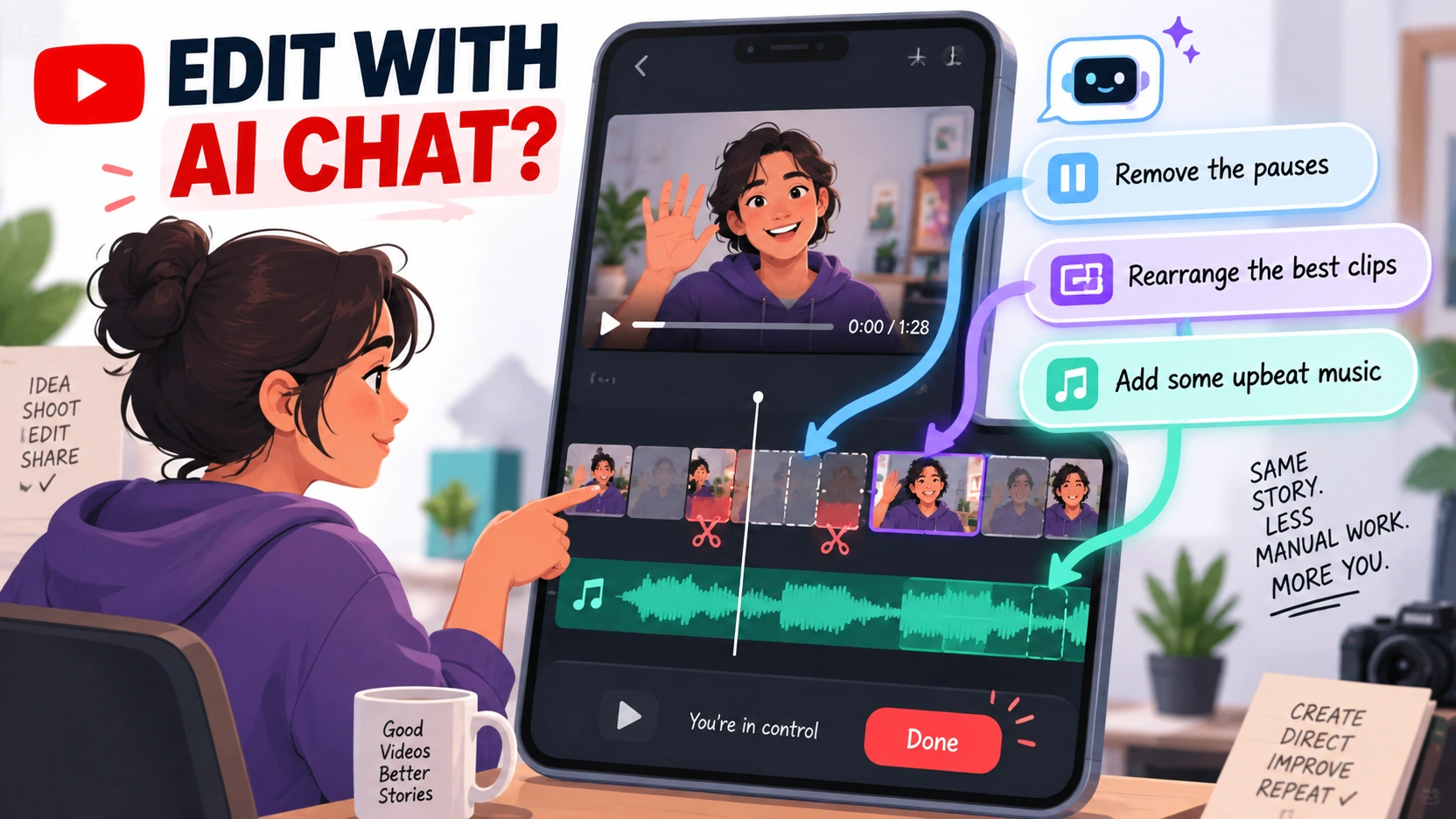
The process begins with media selected by the creator. The system can build a first draft, and the creator can then continue the process by typing natural-language instructions in a chat-like interface. YouTube says the assistant can suggest or carry out actions such as rearranging clips, trimming quiet pauses, adding on-screen text, and syncing music to the beat. Creators can return to the normal editing timeline whenever they want. (YouTube)
That last part matters.
This is not being presented as “give AI your footage and accept whatever it produces.” The design is closer to having an editing assistant that makes changes on command while the creator retains the ability to change those edits manually.
At the September 23 demonstration reported by TechCrunch, a creator used the system to choose better takes from footage, then add music and transitions before moving back into manual editing. (TechCrunch)
So the new workflow looks roughly like this:
| Step | What happens |
|---|---|
| 1 | Creator selects video clips or photos |
| 2 | AI produces an initial draft |
| 3 | Creator gives natural-language editing instructions |
| 4 | AI rearranges, trims, adds text, or adjusts music |
| 5 | Creator keeps chatting or switches back to manual editing |
The major change is not that editing disappears. It is that some editing instructions no longer have to be translated into a series of taps, cuts, menus, and timeline adjustments.
What Can You Actually Tell the AI to Do?
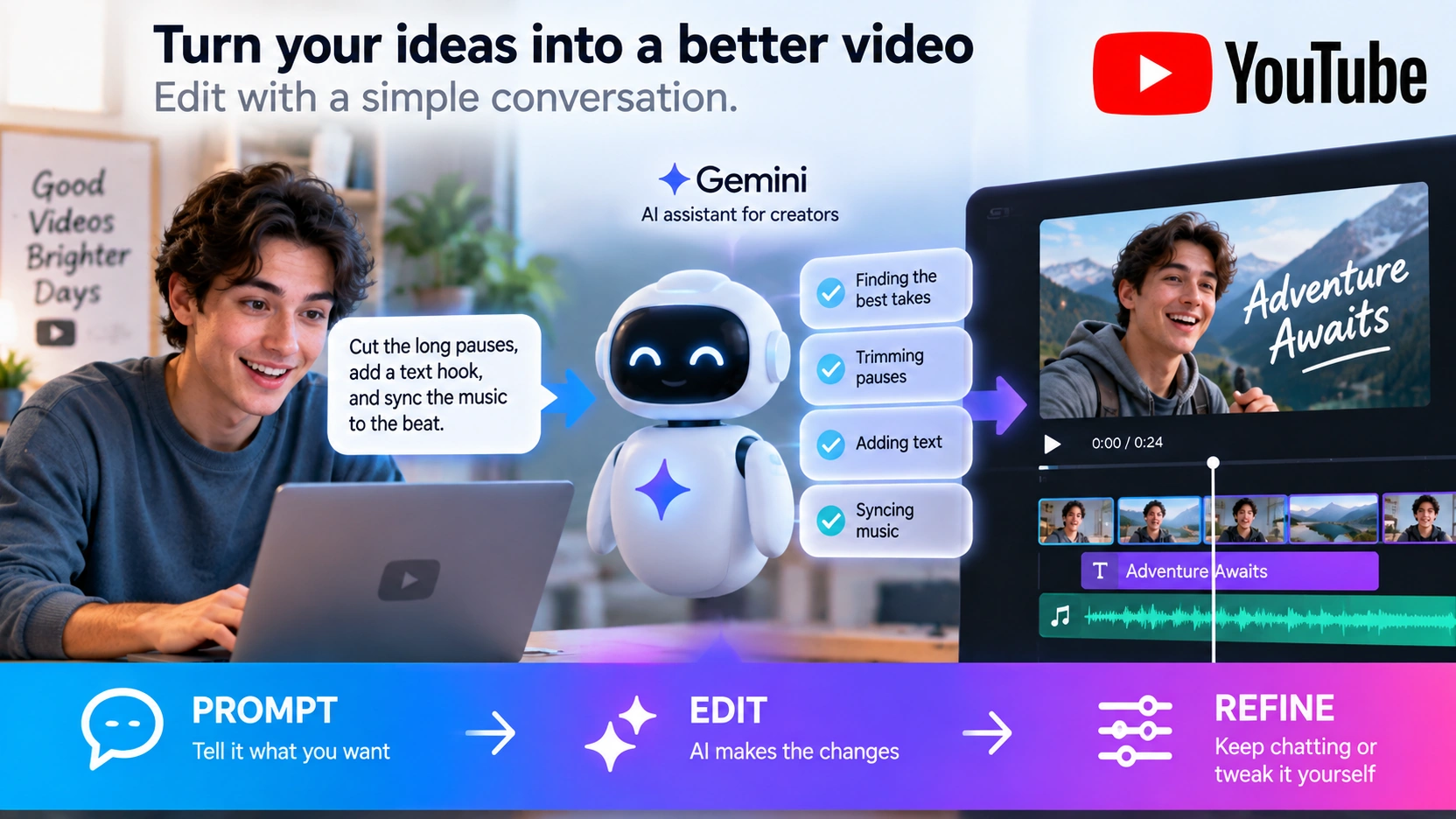
The confirmed tasks are fairly practical rather than cinematic.
YouTube says creators will be able to ask for changes such as trimming pauses, rearranging footage for better pacing, adding on-screen text, and adjusting music. The system can also make personalized suggestions based on what has already happened in the editing conversation. (YouTube)
That means a creator might move through an edit more like this:
“Make a first draft.”
“Cut the long pauses.”
“Put this clip earlier.”
“Add a text hook at the beginning.”
“Make the cuts line up better with the music.”
The significant part is not any one of those actions. Traditional editing software can already perform them.
The difference is the interface.
Traditional editing requires the user to know which tool controls the result they want. Conversational editing tries to let the user describe the result first and leave more of the mechanical execution to the software.
Think of the difference between knowing exactly which buttons to press in a spreadsheet and simply saying, “Sort these expenses by month and show me the biggest increase.”
The work still has to be done. The software is simply taking more responsibility for translating the request into individual operations.
Haven’t YouTube Creators Already Had “Edit With AI”?
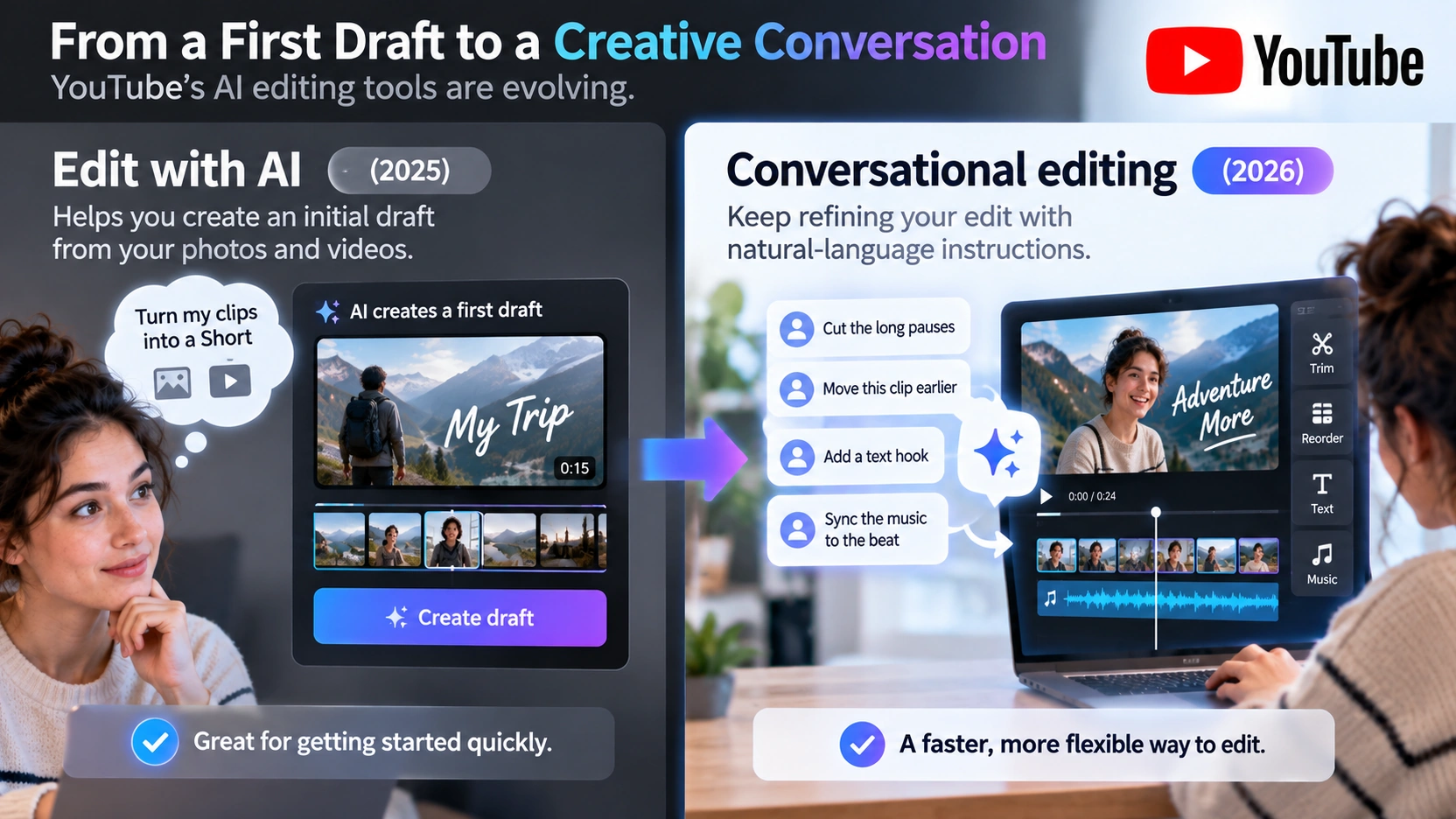
Yes—and this is where the announcement can get confusing.
YouTube began rolling out an “Edit with AI” feature in 2025 that could take photos and videos from a creator’s camera roll and assemble them into an initial Short. The tool was designed to handle some of the first-draft work before the creator stepped in to refine the result. (TeamYouTube)
The new conversational editor adds another layer: ongoing back-and-forth instructions.
| Editing approach | Main idea |
|---|---|
| Traditional editing | Creator directly operates the editing tools |
| Edit with AI | AI helps produce an initial draft from selected media |
| Conversational editing | Creator can keep instructing the AI and refining the draft through chat |
That difference is easy to underestimate.
A first-draft generator saves time at the beginning. A conversational editor potentially changes the entire editing process because the creator can continue giving instructions after the first draft exists.
In other words, the AI is moving from “make me a starting point” toward “keep working with me while I edit.”
Does This Mean Editing Skills Will Matter Less?

For basic editing, the technical barrier could become lower.
A person who understands what they want but does not know how to execute every cut may be able to get much further simply by describing the desired result.
But knowing how to operate editing software and knowing what makes a good edit are not the same skill.
AI can shorten a pause. It still needs direction about whether that pause was awkward—or whether it created tension.
AI can move a shot earlier. Someone still has to decide whether that improves the story.
AI can synchronize cuts with music. That does not automatically mean the result matches the creator’s personality, pacing, or audience.
YouTube’s own design reflects this distinction: creators can move between conversational instructions and direct timeline editing instead of being locked into an AI-generated result. (YouTube)
The practical shift may therefore be less about eliminating editing knowledge and more about changing which knowledge matters most.
Knowing every shortcut may become less important for some creators.
Knowing what to keep, what to remove, when to slow down, and what makes an audience keep watching could become even more valuable.
When Can You Actually Use Conversational Editing?
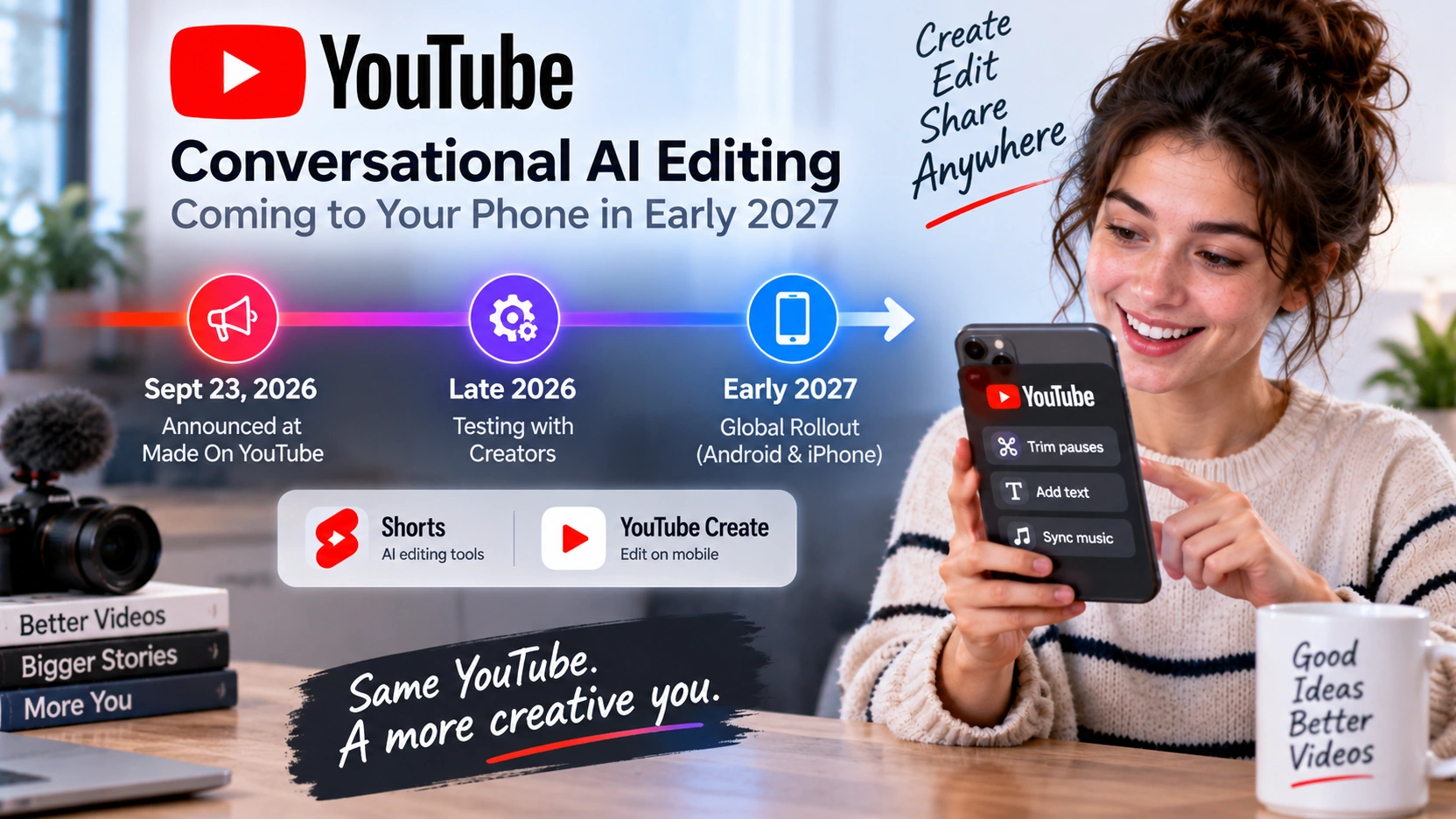
Not everyone can use the new conversational editor yet.
TeamYouTube says the feature will begin rolling out globally on Android and iPhone in early 2027, through Shorts and the YouTube Create app. The company has not announced one universal launch date for every account. (TeamYouTube)
That distinction matters because some of the building blocks already exist.
YouTube Create is already a free mobile editing app that supports both long-form videos and Shorts in the countries where it is available. Existing AI creation and editing tools are also already available to some users. (YouTube Help)
But the newly announced conversational workflow—the ability to keep refining an edit through a back-and-forth chat—is the part slated to start rolling out in early 2027.
So if someone sees a demonstration today and asks, “Where is that button on my phone?” the answer may simply be: it has been announced, but the new conversational experience has not reached general availability yet.
What Are Custom Feeds—and Are They the Same AI Feature?
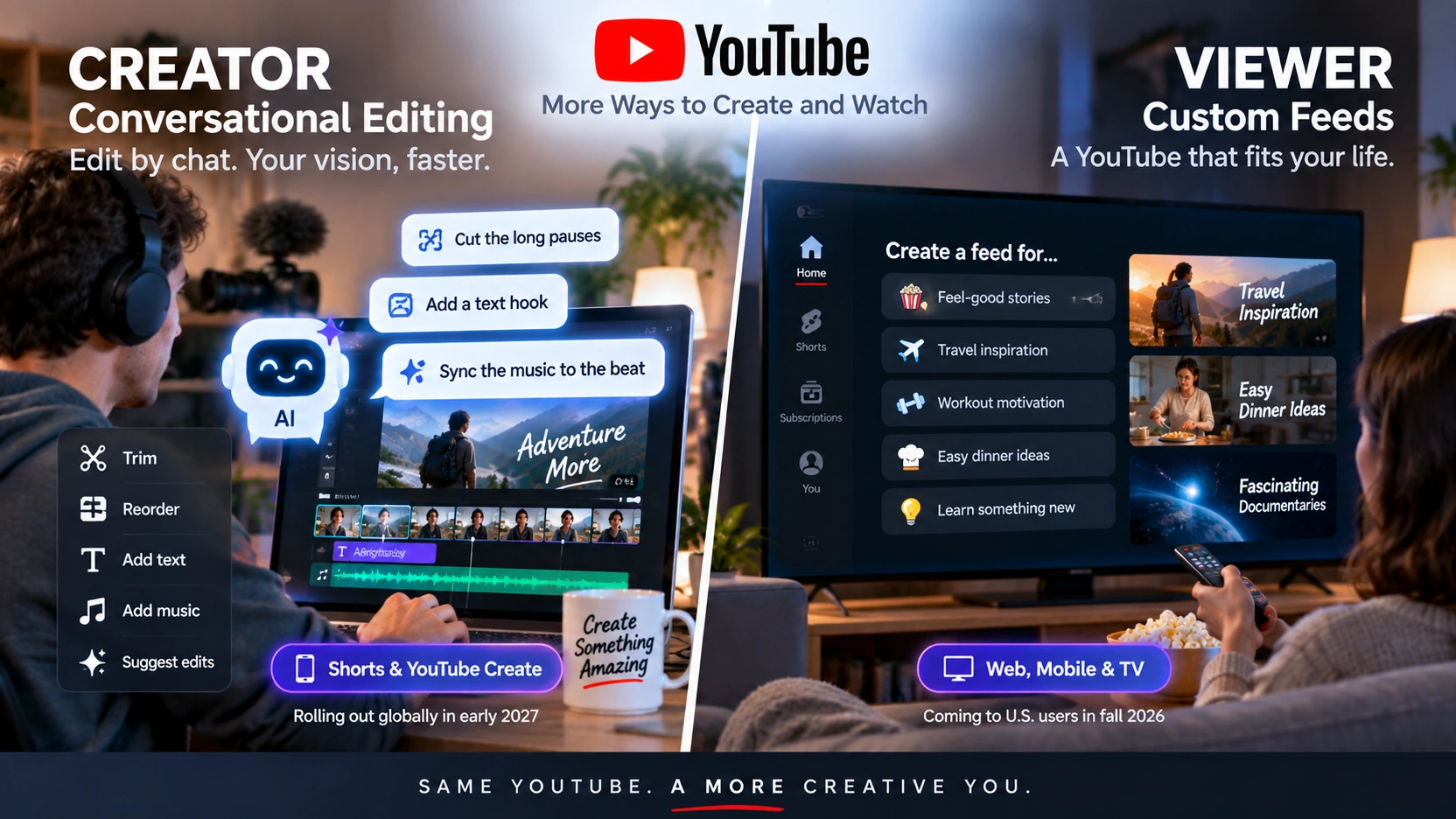
They are separate features.
Conversational editing is for people making videos.
Custom Feeds are for people deciding what to watch.
YouTube says U.S. viewers will be able to create dedicated homepage feeds based on particular moods, routines, or interests. A user could ask for something like long documentaries for the evening or new DIY creators, save that feed, and return to it later as YouTube refreshes the recommendations. (YouTube)
YouTube says Custom Feeds are scheduled to become available in the United States on the web, mobile devices, and TVs in fall 2026. (YouTube)
The two features belong to the same broader strategy, but they solve opposite sides of the platform.
| Feature | Who uses it? | What changes? |
|---|---|---|
| Conversational editing | Creators | How videos are edited |
| Custom Feeds | Viewers | How videos are discovered |
| Ask YouTube | Viewers | How people ask questions and explore videos |
One side uses conversation to create.
The other uses conversation to discover.
That is a bigger shift than simply adding another AI button to YouTube.
Why Is YouTube Pushing AI This Far Into the Creative Process?
YouTube is responding to something that is already happening among creators.
The company says its first GenAI trends report found that 72% of U.S. video posters ages 14 to 44 had used AI to help create or edit content during the previous year. That figure comes from YouTube’s own research and applies to that specific age group, not every YouTube creator. (YouTube)
YouTube has steadily expanded AI across the creation process, from the 2025 rollout of Edit with AI for first drafts to Gemini Omni remixing in 2026 and now conversational editing. (YouTube 2025 · YouTube 2026)
The direction is increasingly clear.
For years, video software competed by adding more tools.
AI-era editing may increasingly compete by asking how many of those tools users no longer need to operate directly.
That could matter most for casual and smaller creators.
A professional editor may already know exactly how to build a timeline efficiently. Someone making a family travel video, local business clip, product demonstration, or first YouTube Short may know what they want the finished video to feel like without knowing how to create it quickly.
Conversational editing tries to close that gap.
Does “Conversational Editing” Mean You Can Use Voice Commands?
Not based on what YouTube has publicly described so far. The announced workflow centers on text prompts and a chat interface, not a confirmed voice-command editing mode. (YouTube · TechCrunch)
The confirmed workflow is collaborative: start with your footage, generate or assemble a draft, type requests for changes, review the result, continue refining it, and manually edit whenever necessary. (TeamYouTube)
That is why “conversational editing” is a better description than “fully automatic editing.” The AI is becoming an interface between the creator’s intent and the editing timeline, while the creator still decides when the video is actually finished.
Why It Matters in One Sentence
YouTube’s new conversational editor could make video editing feel less like operating complicated software and more like directing an assistant—but the creator still controls the story, the choices, and the final cut.
YouTube AI Editing: Key Questions Explained
Q. Can YouTube really edit a video from conversational instructions?
Yes. YouTube has announced a Gemini-powered editing assistant that can respond to natural-language requests to refine selected footage, including trimming pauses, rearranging clips, adding text, and working with music.
Q. Is YouTube conversational editing available now?
Not broadly. YouTube says the new conversational editing feature will begin rolling out globally on Android and iPhone in early 2027.
Q. Where will YouTube’s conversational editor be available?
YouTube says it will be integrated into Shorts and the YouTube Create app.
Q. Can creators still edit the timeline manually?
Yes. YouTube specifically says creators will be able to move between the conversational assistant and manual timeline editing.
Q. How is conversational editing different from Edit with AI?
Edit with AI primarily helps create an initial draft from selected media. Conversational editing extends that workflow by allowing repeated follow-up instructions and refinements through chat.
Q. Does this mean professional video editors are no longer necessary?
No such claim has been made by YouTube. The tool automates or simplifies editing operations, but decisions about story, timing, tone, and what belongs in the final video still require creative judgment.
Q. Does conversational editing mean creators can use voice commands?
YouTube has not announced voice-command editing as part of this feature. Its current public descriptions emphasize text prompts and a chat interface, so “conversational” should not be read as “voice-controlled.”
Q. What are YouTube Custom Feeds?
Custom Feeds let viewers create and save personalized homepage feeds based on conversational descriptions of a mood, routine, or interest. YouTube says the feature is coming to U.S. users on web, mobile, and TVs in fall 2026.
Q. Are Custom Feeds part of the conversational video editor?
No. They were announced at the same Made On YouTube event, but Custom Feeds are a viewer discovery feature, while conversational editing is a creator tool.
Did this help make the story clearer? 🙂
WIN keeps unpacking the “why” behind the news—clearly and simply!
Sources
Conversational Editing and Rollout
YouTube — “New tools to power your creation journey from start to finish”
TeamYouTube — “New features for the YouTube Era: Made on YouTube 2026”
Existing YouTube Create and AI Editing Tools
YouTube Help — YouTube Create app overview and supported video formats
YouTube Help — Create with AI in the YouTube Create app
TeamYouTube — 2025 announcement of Edit with AI
Custom Feeds and Made On YouTube 2026
YouTube — Made On YouTube 2026 viewer features and Custom Feeds