Why Is Apple Putting Siri AI in Your Home—and Is HomeView Worth $299?

Don’t you already have Siri on your iPhone?
And if you can ask your phone to turn off the lights, check the weather, or set a timer, why would you spend another $299 to put Siri on your kitchen counter?
Those are reasonable questions about Apple’s newest device, HomeView.
But HomeView isn’t simply an iPhone with fewer apps or a HomePod with a screen attached.
Apple wants to turn Siri into a household assistant that everyone can share—while giving each family member a different, personalized experience.
On October 13, 2026, Apple announced HomeView, a seven-inch smart display powered by its upgraded Siri AI. The device can recognize different household members, show their relevant information, handle video calls, and control compatible smart home devices. Preorders began the same day, with U.S. availability scheduled for November 13. (Apple · Reuters)
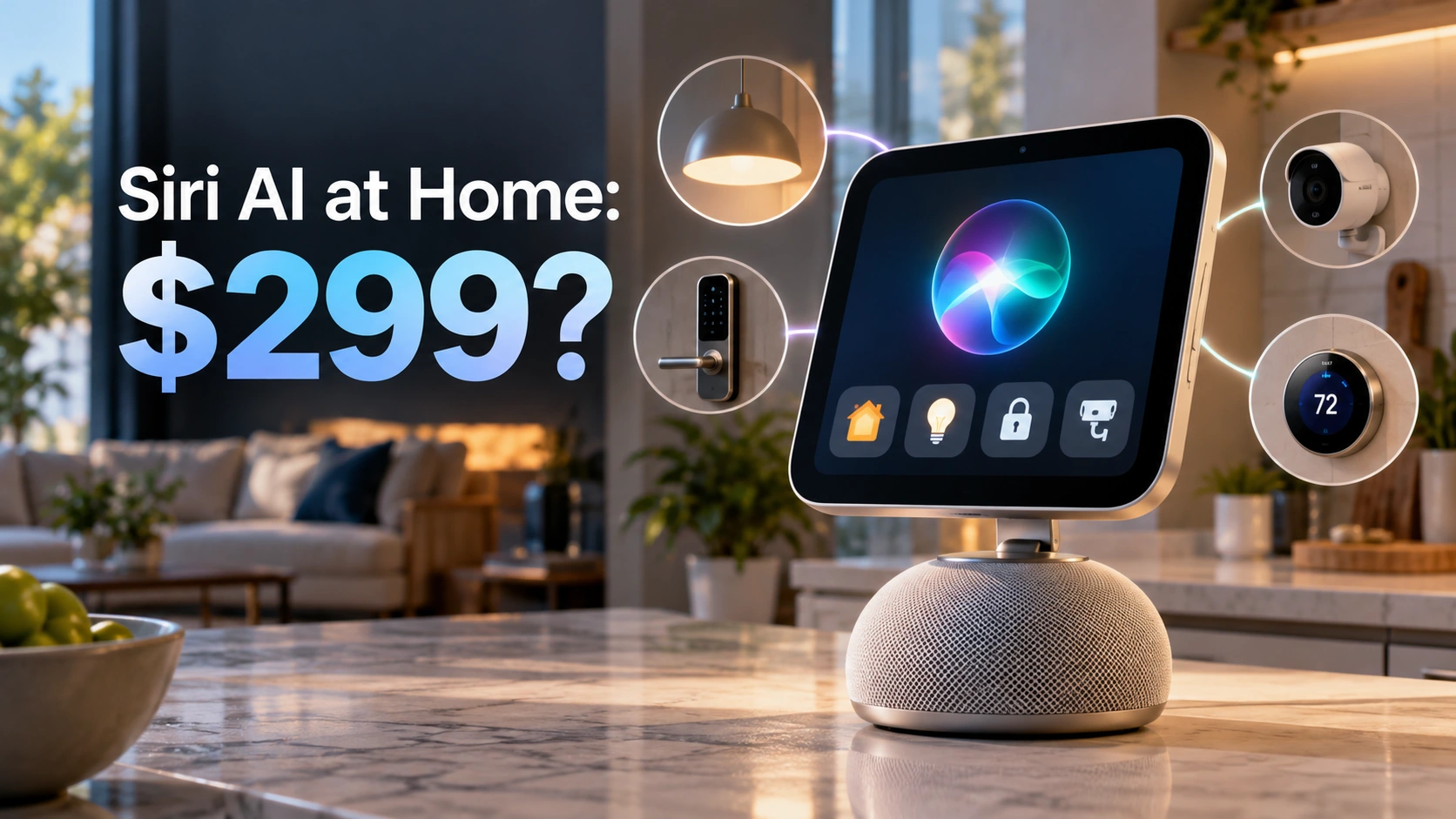
※ Images in this article are AI-generated illustrations created to help explain the story. They are not actual photographs, and depictions of people, places, or events may differ slightly from reality.
That sounds convenient. It also raises some less obvious questions.
How does a shared screen know whose messages to display? What happens when someone walks into the room? And is the $299 price really the full cost of making a home smarter?
The answers reveal both the appeal of HomeView and the reasons it may not be the right purchase for everyone.
What Exactly Is Apple HomeView—and What Can It Do?
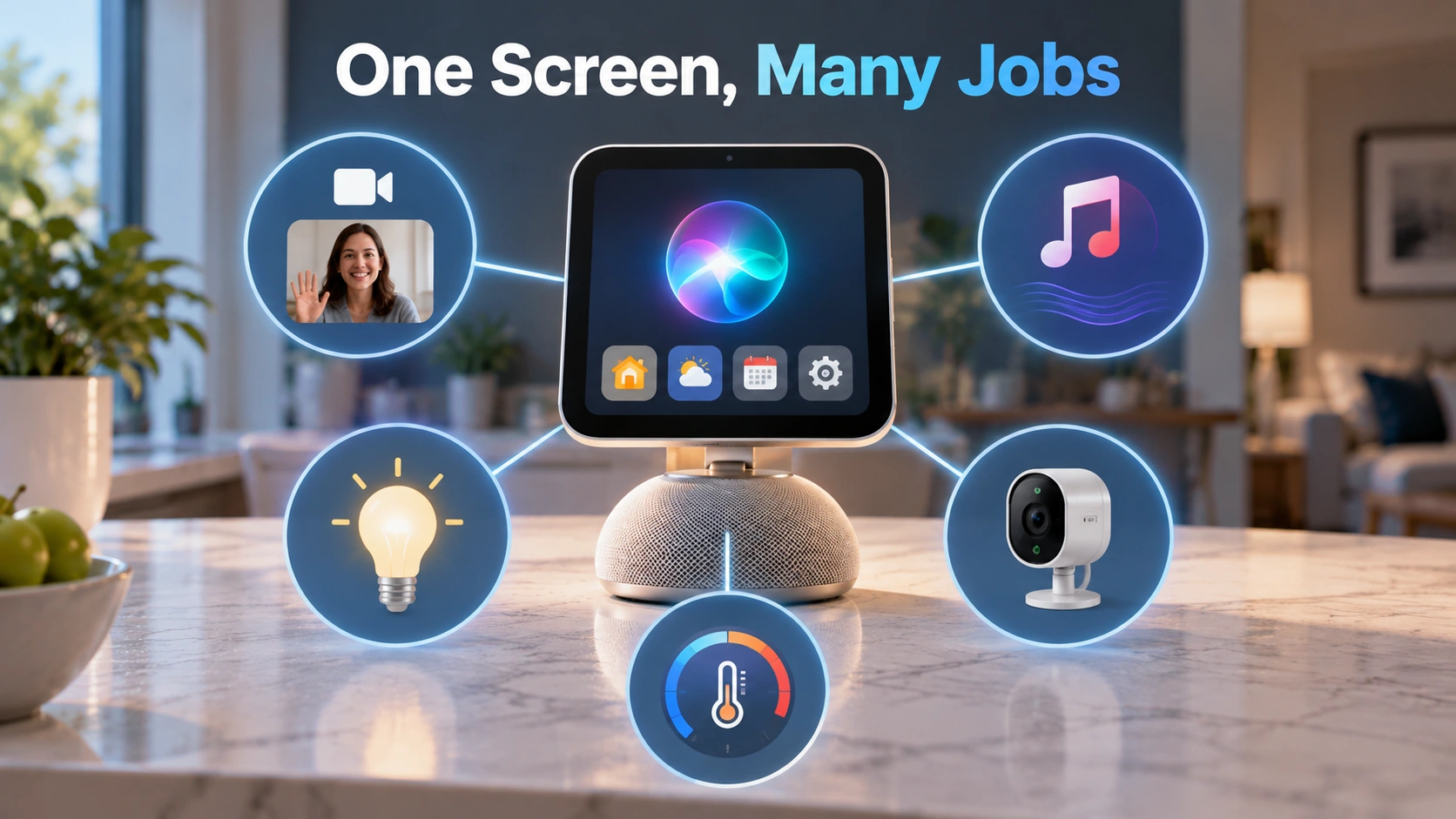
Apple HomeView is a dedicated smart home display that combines a touchscreen, speakers, microphones, a camera, and Siri AI in one device.
It is designed to stay in a shared location, such as a kitchen, living room, or hallway, rather than travel around with one person.
The countertop version has a seven-inch Liquid Retina display attached to a speaker base. Apple also offers a separate wall-mounted version. Both models start at $299. (Apple · Apple Technical Specifications)
The main capabilities include:
- Smart home control: Adjust compatible lights and thermostats, operate smart locks, view camera feeds, and manage home automations.
- Communication: Make FaceTime video calls using a 12-megapixel Center Stage camera that helps keep people in the frame.
- Entertainment: Play music, listen to podcasts, watch supported video content, and connect with compatible speakers.
- Household organization: Display calendars, reminders, timers, weather information, and other useful details.
- Home monitoring: View compatible security cameras, including up to nine live video feeds simultaneously.
- Personal assistance: Ask Siri AI questions and, when the necessary devices are paired, use personal information to complete supported tasks.
There’s an important difference between HomeView and an iPad.
An iPad is primarily a personal computer you can carry around. HomeView is designed as an always-available household control point. Apple’s published specifications also require wired power and a compatible iPhone or iPad for setup, so it isn’t intended to replace a portable tablet. (Apple Technical Specifications)
Imagine preparing dinner while your hands are covered in flour. You could ask Siri for the next step in a recipe, start a timer, check who’s at the front door, or adjust the room temperature without picking up your phone.
None of those individual activities is entirely new. The intended improvement is bringing them together in one place, making the experience easier to share across a household.
Why Does Siri AI Make HomeView Different From an Ordinary Smart Speaker?
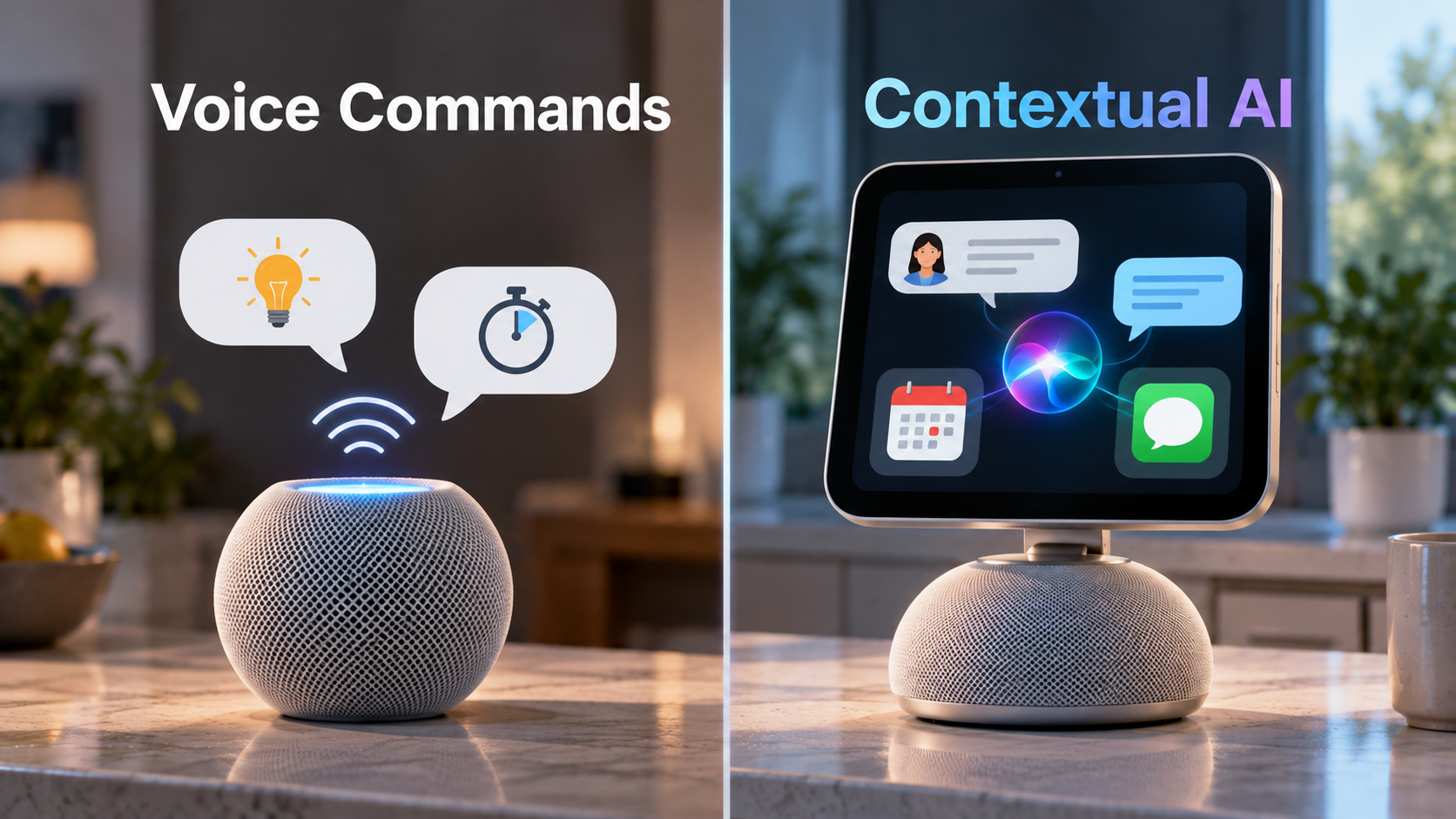
The biggest difference is that Siri AI is designed to handle conversations and understand context, rather than simply respond to individual commands.
Traditional voice assistants are useful when you know exactly what to ask: “Set a timer for 10 minutes,” “Turn off the kitchen lights,” or “What’s the weather tomorrow?”
Those commands still matter. But Apple is pitching Siri AI as something more flexible: an assistant that can discuss a topic, understand what is on a screen, and use relevant information from a person’s apps to help with tasks.
According to Apple’s announcement, HomeView can answer general questions and conduct more natural conversations on its own. More personalized capabilities, including taking actions across apps and using information from Messages or Calendar, depend on a paired Apple Intelligence-enabled iPhone or iPad. (Apple)
That creates two distinct levels of AI assistance.
| Capability | HomeView on Its Own | With a Compatible AI-Enabled iPhone or iPad |
|---|---|---|
| General questions | Siri AI can provide answers | Available |
| Conversational assistance | Available | Available |
| Music and smart home controls | Available with supported services and accessories | Available |
| Personal calendar and message context | Full personalized access not available independently | Supported with the required setup |
| Actions using personal app information | More limited | Expanded supported capabilities |
This distinction matters for anyone with an older iPhone. Buying HomeView does not necessarily unlock every personalized Siri AI feature, because some capabilities still depend on the phone or tablet a person already owns.
There’s another reason Apple is making this move. Amazon and Google have been building smart home ecosystems for years, with voice assistants, displays, and connected devices already established in many households.
Apple has offered HomeKit, the Home app, HomePod speakers, and Apple TV as ways to manage connected devices. But it has not had the same dedicated shared-screen product at the center of that experience.
HomeView is an attempt to make Apple’s approach more visible, useful, and competitive. (Reuters)
Of course, a more capable assistant on paper is not automatically a better assistant in daily use. The real test will be whether Siri AI reliably understands requests, selects the right information, and performs the intended actions.
How Can One HomeView Recognize Six People Without Mixing Up Their Private Information?
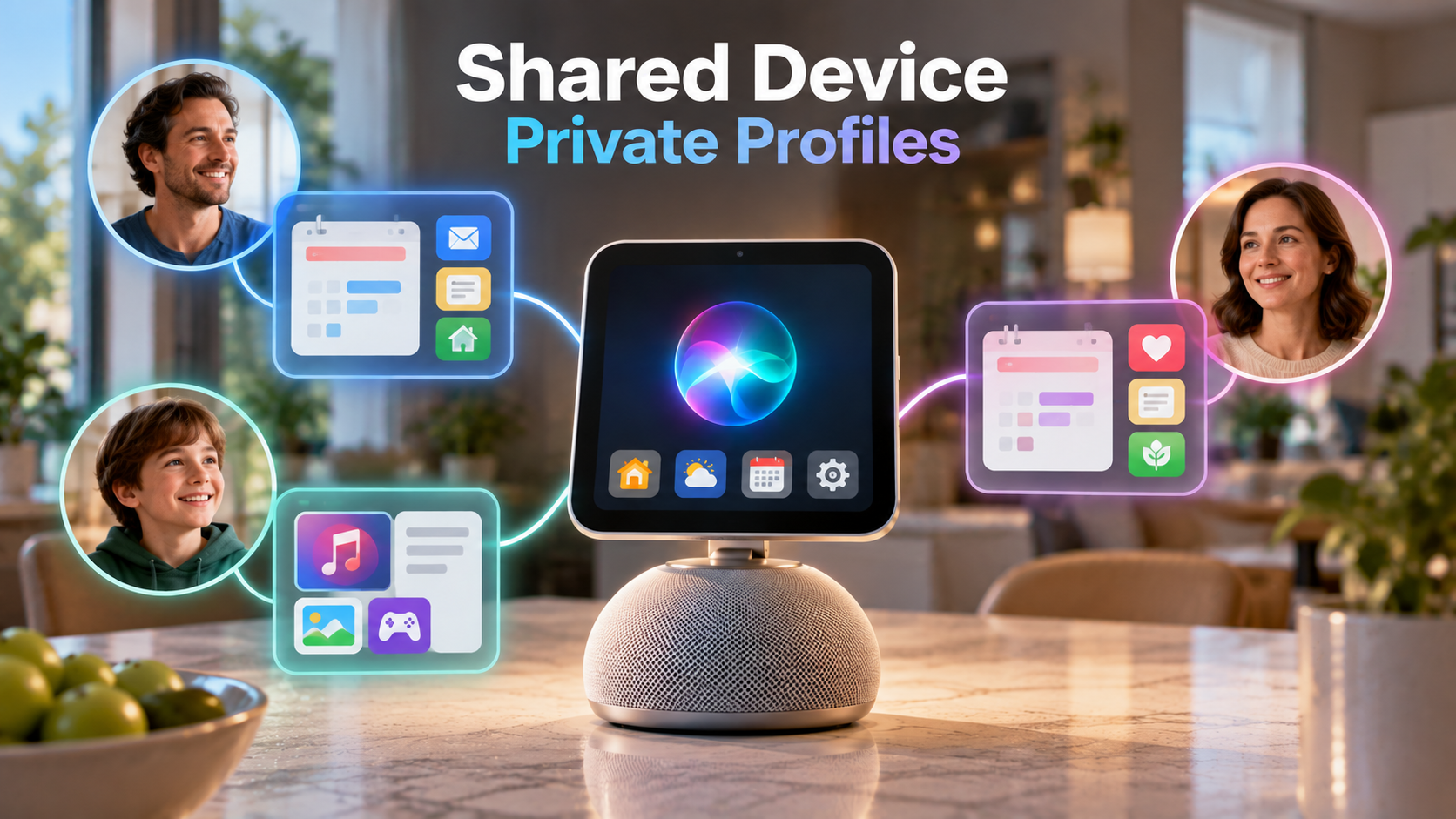
HomeView can recognize up to six enrolled household members and show a personalized interface for each person.
Think about a family sharing one kitchen display. A parent walks over and sees their own upcoming appointments. Another household member approaches later and gets a different home screen, with their preferred widgets and information.
Apple says facial recognition is used to switch between those individualized experiences. (Apple)
But recognizing a face and granting access to private information are not exactly the same thing.
Apple says sensitive personal content, including information from Messages and Calendar, is shown only when two conditions are met:
- The enrolled person’s face is recognized.
- Their paired iPhone or iPad is on the same Wi-Fi network and has been recently unlocked.
That second condition is particularly important. (Apple)
The system is designed to avoid a situation where someone merely walks past the shared screen and exposes another family member’s private messages.
Apple also says guests and unrecognized users can still perform ordinary tasks, such as setting timers, checking the weather, playing music, or controlling compatible household devices, without gaining access to personal information.
Full individualized experiences require a compatible personal device, the proper Apple Account, and membership in the shared home setup. Certain Siri AI personal-context requests require an Apple Intelligence-enabled paired device. (Apple HomeView FAQ)
This is why HomeView’s recognition system is more significant than a personalized wallpaper or favorite music playlist.
Apple is trying to solve the central problem of a shared family computer: how to make one device useful to everyone without treating everyone’s private information as communal property.
Whether that works smoothly when several people are in the same room remains an important practical question.
Does Bringing Facial Recognition and AI Into the Home Create New Privacy Risks?
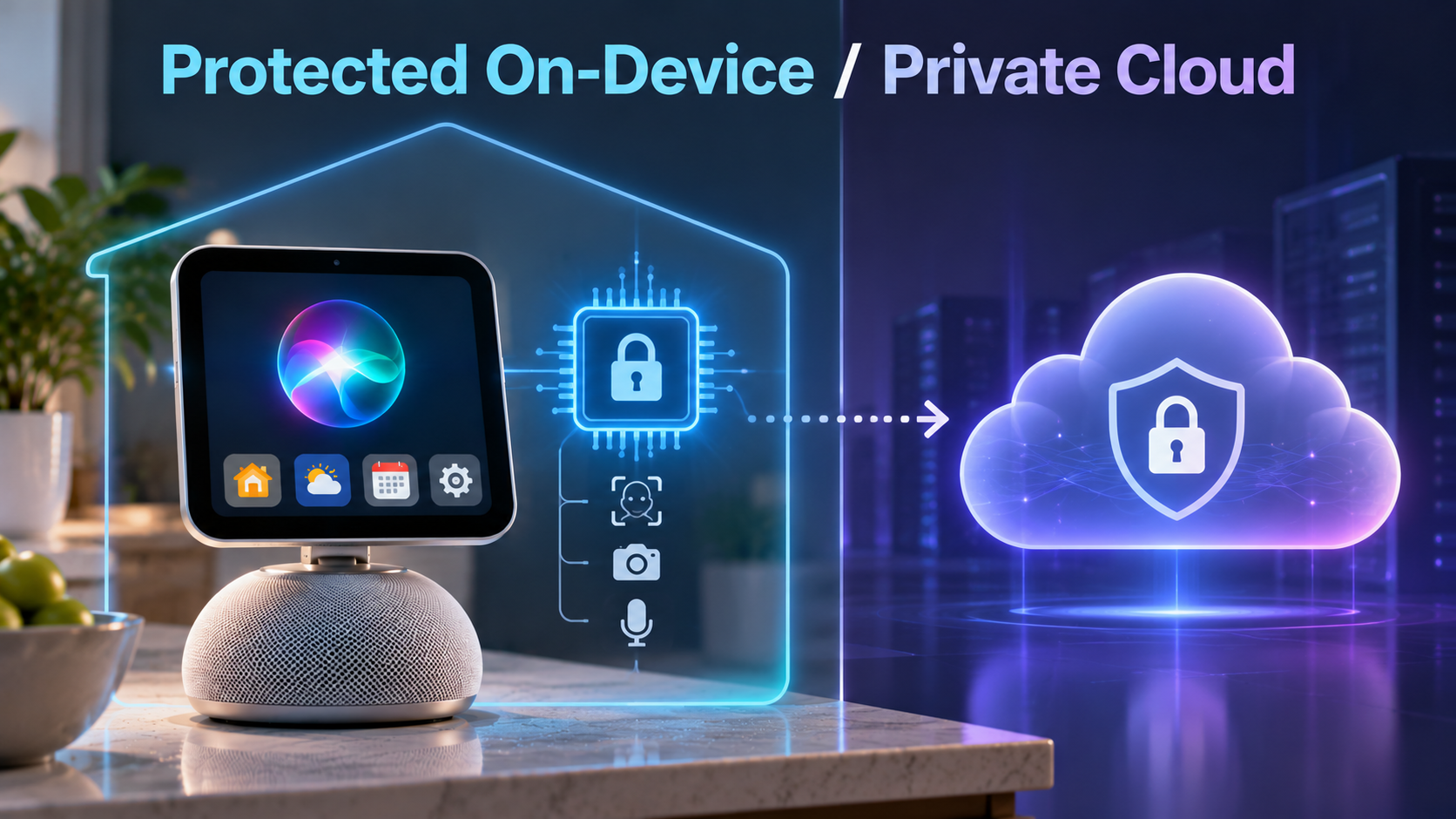
Yes. Any device equipped with microphones, a camera, and access to household information raises legitimate privacy questions.
Apple says it designed HomeView to limit those risks, using both hardware-level protections and restrictions on when personal content appears.
The device’s A18 chip includes what Apple calls Secure Exclaves. These are isolated processing environments intended to handle sensitive camera and microphone information separately from the main software.
Apple says data analyzed inside those protected areas is inaccessible to ordinary HomeView software and apps, as well as to Apple itself.
For Siri requests, Apple describes two possible approaches:
- On-device processing: Some requests are handled locally.
- Private Cloud Compute: Other requests can use Apple’s protected cloud-computing system, which the company says does not store the processed data or make it accessible to Apple.
These are Apple’s published privacy architecture and security claims, not a guarantee that every conceivable privacy or security risk has been eliminated. (Apple)
There is also a difference between two types of facial recognition in this ecosystem.
Recognizing a family member at the HomeView screen is used to personalize the device. Recognizing someone in security camera footage is a separate home-monitoring capability involving compatible cameras and, for certain intelligent features, a supported iCloud+ subscription.
Apple says compatible HomeKit Secure Video systems can provide encrypted recordings and features that identify familiar faces, animals, packages, and vehicles. Some video-description and intelligent-camera capabilities have additional device and subscription requirements. (Apple Home Collection)
For households, the privacy question goes beyond technical security. A family may be comfortable having a shared calendar in the kitchen but less comfortable with a camera-equipped screen in a bedroom.
Some people may appreciate a device that recognizes them automatically. Others may prefer that household electronics know as little about them as possible.
Apple’s safeguards matter, but so do device placement, household consent, account permissions, and personal preferences.
Is HomeView Really $299—or Will the Full Smart Home Cost More?
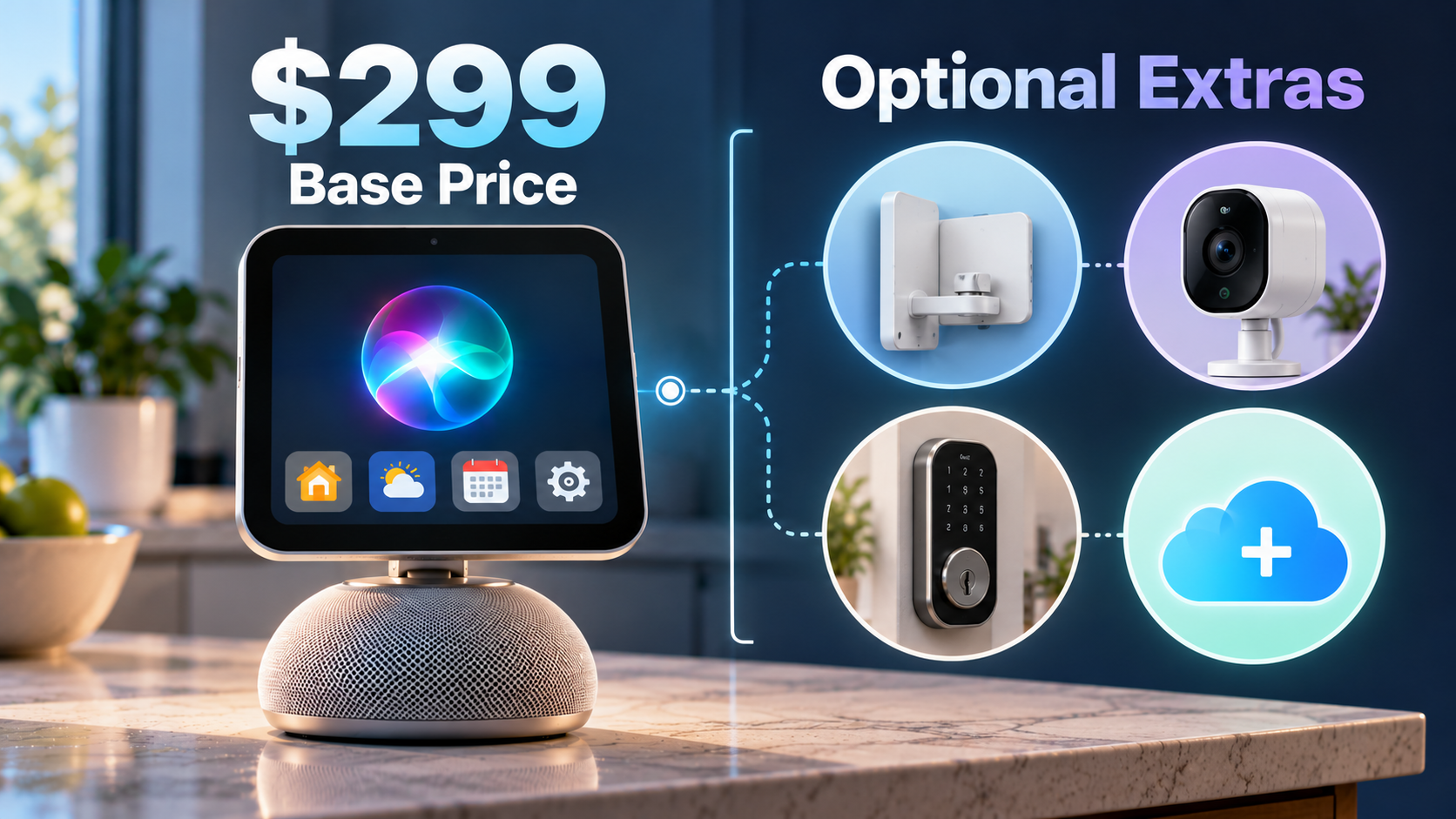
HomeView really does start at $299 in the United States.
But that is the price of the display itself, not a complete package of cameras, smart locks, thermostats, and security services.
The countertop version includes its power cable and adapter. The $299 wall-mounted version is different: Apple sells the required mounting and power accessories separately. (Apple Technical Specifications · The Verge)
Here is how the costs break down.
| Product or Feature | Announced U.S. Price | What to Know |
|---|---|---|
| HomeView countertop model | $299 | Includes its speaker base and power accessories |
| HomeView wall-mounted model | $299 | Requires separately purchased mounting and power equipment |
| Schneider USB-C wall connector | From $59.95 | Additional wall-mounting cost |
| Schneider AC wired mount | From $79.95 | Additional installation solution |
| LG indoor camera | From $199.95 | Optional compatible camera |
| LG video doorbell | From $249.95 | Optional doorbell accessory |
| LG smart deadbolt lock | From $349.95 | Optional connected door lock |
| Eligible iCloud+ plan | Additional subscription | Needed for certain camera recording and intelligence features |
These are announced starting prices, not a required bundle. Some accessories will not be available until December 2026 or early 2027. (Apple HomeView Announcement · Apple Home Collection)
There is an important qualification: you do not have to buy Apple’s newly announced collection of accessories to use HomeView.
The device also supports compatible products that work with Apple Home, including devices using Matter, a smart home connectivity standard intended to improve interoperability between different manufacturers.
Existing compatible lights, thermostats, and other accessories may already work with the device.
And HomeView itself does not require a paid subscription just to perform ordinary tasks. The additional iCloud+ requirement relates to particular camera recording and intelligence features—not a blanket fee for every Siri AI conversation. (Apple · Apple Home Collection)
For someone who already owns compatible smart home equipment, the expense may be relatively straightforward. For someone beginning with a completely ordinary house, the $299 device may only be the beginning of a much larger investment.
Why Is Apple Entering a Market Amazon and Google Already Serve?
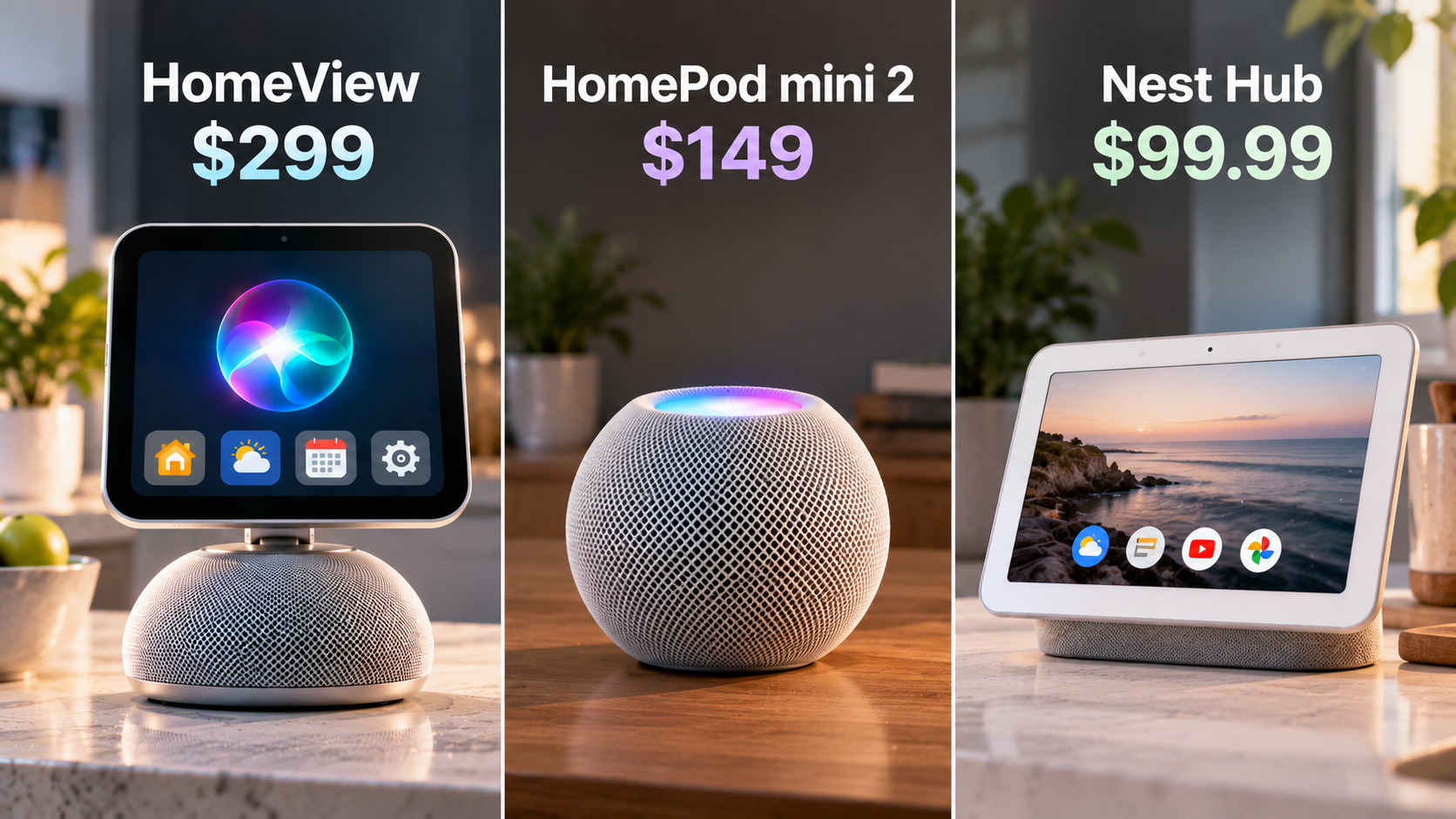
Apple isn’t entering an empty market. Amazon has spent years building devices around Alexa, while Google has developed its own lineup of smart speakers, displays, and home controls.
So why would Apple introduce a comparatively expensive device now? Because the company is trying to compete on something other than the lowest price.
Its main selling point is the connection between a shared home device and the personal information, apps, and services people already use on their Apple devices.
That could be particularly valuable for families in which several people already own iPhones, Apple Watches, and other Apple products. But the premium is substantial.
| Device | U.S. Price | Main Appeal |
|---|---|---|
| Apple HomeView | $299 | Shared display, Siri AI, facial personalization, Apple ecosystem integration |
| Apple HomePod mini 2 | $149 | Smart speaker and voice controls; Siri AI promised through a future update |
| Google Nest Hub (2nd generation) | $99.99 | Basic smart display, media, and compatible home controls |
These are published or listed U.S. prices, not a performance ranking. The products differ in generation, features, and software capabilities. (Apple HomeView · Apple HomePod mini 2 · Google Store)
Apple’s own new HomePod mini 2 makes the choice more interesting. It costs $149, provides music playback and voice-based smart home control, and is expected to receive Siri AI in a later software update.
That means someone interested mainly in talking to Siri may have a less expensive Apple option, provided they are willing to wait for the promised software capability.
HomeView adds a screen, FaceTime video calls, visual controls, and individualized household interfaces. Whether those additions justify the extra cost depends on how often they would actually be used.
There is another trade-off. HomeView may be especially convenient for an Apple-centered household, but its personalized capabilities depend on compatible Apple devices and accounts. Early reporting also highlights limitations around third-party apps compared with a more general-purpose tablet. (The Wall Street Journal)
For a family using a mix of Apple, Android, and other connected products, that ecosystem dependence may reduce its appeal.
Apple is betting that a tightly integrated experience will be worth paying more for. Consumers will decide whether that integration is helpful enough in everyday life.
So Is Apple HomeView Worth $299 for Your Household?
There is no universal answer, but the buying decision becomes easier when you focus on what you already own and what you expect the device to do.
| Your Situation | What Makes Sense |
|---|---|
| Your family already uses multiple Apple devices and compatible smart home accessories | HomeView may be a useful shared control center |
| You mostly want music, timers, and basic voice commands | A less expensive speaker may be sufficient |
| You regularly use compatible security cameras and want a central viewing screen | HomeView’s display may be valuable |
| Your household uses many different operating systems and unsupported apps | Check compatibility carefully before buying |
| You are primarily interested in the new Siri AI | Compare the HomeView experience with Siri AI on devices you already own |
| You are concerned about microphones, cameras, or facial recognition in shared spaces | Consider waiting for independent privacy and usability evaluations |
The distinction between useful and unnecessary often comes down to location.
A shared screen in a busy kitchen may offer genuine convenience because several people regularly pass through the same space. A HomeView sitting beside a person who already uses an iPad all day may add much less.
There’s also a practical question that product announcements cannot fully answer: Will the facial recognition and personalized Siri features work reliably under ordinary household conditions?
What happens when two family members stand in front of the screen together? How quickly does the device change profiles? Does Siri consistently understand which person is asking?
Those are exactly the sorts of things that independent hands-on testing after launch should help clarify.
Apple has announced the features. Their everyday reliability is still something buyers should evaluate rather than assume.
When Will HomeView Be Available—and What Should Buyers Watch Next?
Apple began accepting U.S. preorders on October 13, 2026, with availability scheduled for Friday, November 13.
Both the standard and wall-mounted versions carry a $299 U.S. starting price. Siri AI on HomeView initially supports English in its announced markets.
Apple also confirmed that HomeView will not initially be sold in the European Union because Siri AI is not currently available in iOS there. (Apple)
The larger rollout extends beyond the display itself.
Apple’s newly announced smart home accessories, developed with LG Electronics and Schneider Electric, are scheduled to begin arriving in December, with some products following in early 2027.
That means the full experience Apple demonstrated at launch will not necessarily be available to every buyer on HomeView’s first day. (Apple Home Collection)
For potential buyers, three issues deserve particular attention after November 13.
First, how well does Siri AI actually perform when several people share the same device?
Second, does HomeView integrate smoothly with the cameras, lights, locks, and other equipment already installed in a household?
Third, do its privacy controls work intuitively enough that family members feel comfortable using personal features on a shared screen?
The answers will tell consumers far more than a product demonstration alone.
Bottom Line: What This Story Really Means
Apple HomeView represents a shift in how Apple wants people to interact with artificial intelligence.
Instead of requiring someone to pull out a phone, open an app, and navigate different services, Apple wants one shared device to provide helpful information and control connected parts of the home.
Its most distinctive idea is not simply that Siri has become more conversational.
It is that a shared household screen can recognize different people, adapt to their needs, and still keep their personal information separate.
At $299, HomeView may appeal to households already deeply invested in Apple devices and compatible smart home equipment. But for someone who only wants music, weather updates, simple voice commands, or an occasional timer, the additional cost may be hard to justify.
And the advertised price does not include every optional camera, lock, mount, or subscription that may be needed for a more elaborate setup.
Apple has demonstrated what it wants Siri AI to become inside the home. Whether HomeView becomes an everyday necessity—or an expensive convenience—will depend on how reliably it delivers that promise after launch.
Apple HomeView: Key Questions Explained
Q. What is Apple HomeView?
Apple HomeView is a seven-inch smart home display that combines Siri AI, household controls, FaceTime, entertainment, and personalized user interfaces in one stationary device.
Q. How much does Apple HomeView cost?
Both the countertop model and the wall-mounted model start at $299 in the United States. The wall-mounted version requires additional mounting and power accessories sold separately.
Q. When will Apple HomeView be released?
Apple announced HomeView on October 13, 2026, and opened preorders that day. U.S. availability is scheduled to begin November 13, 2026.
Q. Can HomeView recognize different family members?
Yes. Apple says HomeView can recognize up to six enrolled people and show personalized home screens. Access to certain private information also requires the person’s paired iPhone or iPad to be on the same Wi-Fi network and recently unlocked.
Q. Do you need an iPhone to use Apple HomeView?
An iPhone running iOS 27.2 or later, or an iPad running iPadOS 27.2 or later, is required for setup. Guests can use basic household functions, but full personalized features require the appropriate Apple Account and paired device. Some advanced Siri AI features require an Apple Intelligence-enabled iPhone or iPad.
Q. Does Siri AI work on HomeView without a newer AI-enabled iPhone?
Yes, for general conversations, broad knowledge questions, and supported household tasks. Some advanced personalized capabilities require a compatible Apple Intelligence-enabled iPhone or iPad.
Q. Does HomeView require a monthly subscription?
Not for ordinary operation. Certain HomeKit Secure Video recording and intelligent-camera features require an eligible iCloud+ subscription, and separate paid content services may have their own fees.
Q. Can HomeView control non-Apple smart home devices?
Yes, if the accessories are compatible with Apple Home or supported standards such as Matter. Not every connected device or third-party application is automatically compatible.
Q. Is Apple HomeView worth buying instead of a HomePod?
It may be worth the additional cost if you want a shared touchscreen, FaceTime video calls, personalized family interfaces, and visual smart home controls. If music and voice commands are your priorities, a HomePod may be better value.
Q. Can you buy Apple HomeView in Europe?
Not in the European Union at its initial launch. Apple says the restriction relates to Siri AI’s current unavailability in iOS in the EU. The company has not announced a confirmed EU launch date.
Did this help make the story clearer? 🙂 WIN keeps unpacking the “why” behind the news—clearly and simply!
Sources
HomeView Announcement, Features, and Availability
Apple — Meet Apple HomeView, a New Way to Enjoy Entertainment and Manage the Home
Apple — HomeView Product Information and Frequently Asked Questions
Apple — HomeView Technical Specifications
Smart Home Accessories, Additional Costs, and Alternatives
Apple — Introducing Apple Home Collection
Apple — HomePod mini 2 Announcement
Google Store — Nest Hub (2nd Generation)
The Verge — Buying Apple’s Wall-Mounted HomeView? The Mount Costs Extra
Apple’s AI Strategy and Early Assessments
Reuters — Apple Unveils New Smart Home Products Showcasing Updated Siri AI
The Wall Street Journal — My First Impressions of Apple’s New Smart Home Display
The Verge — Apple Launches HomeView, Its First Smart Display for the Home
Keep Reading
When Does AI Work on a Device, and When Does It Need the Cloud?
HomeView’s privacy design brings up a broader question about where AI actually runs. An earlier WIN explainer examines Apple’s local-versus-cloud approach through its desktop Macs, including why keeping some AI processing on a device can matter for cost and data privacy.
Why Would a Company Buy a $20,000 Mac Instead of Paying for AI in the Cloud?